 0830215b31
Some checks are pending
Build / Build (arm64) (push) Waiting to run
Build / Build (x86-64) (push) Waiting to run
Build / Build (macOS arm64) (push) Waiting to run
Build / Build (windows-arm64) (push) Waiting to run
Build / Build (windows-x86-64) (push) Waiting to run
Security / CodeQL (C/C++) (push) Waiting to run
Security / Semgrep (push) Waiting to run
Security / Sanitizer Build (ASan/UBSan) (push) Waiting to run
|
||
|---|---|---|
| .claude | ||
| .github | ||
| assets | ||
| container | ||
| Data | ||
| docs | ||
| extern | ||
| include | ||
| resources | ||
| src | ||
| third_party/fsr2_vk_permutations | ||
| tools | ||
| .gitignore | ||
| .gitmodules | ||
| ATTRIBUTION.md | ||
| build.bat | ||
| build.ps1 | ||
| build.sh | ||
| BUILD_INSTRUCTIONS.md | ||
| clean.sh | ||
| CMakeLists.txt | ||
| CODE_OF_CONDUCT.md | ||
| debug_texture.bat | ||
| debug_texture.ps1 | ||
| debug_texture.sh | ||
| EXPANSION_GUIDE.md | ||
| extract_assets.bat | ||
| extract_assets.ps1 | ||
| extract_assets.sh | ||
| extract_warden_rsa.py | ||
| GETTING_STARTED.md | ||
| LICENSE | ||
| list_mpq | ||
| list_mpq.cpp | ||
| PKGBUILD | ||
| README.md | ||
| rebuild.bat | ||
| rebuild.ps1 | ||
| rebuild.sh | ||
| restart-worldserver.sh | ||
| TROUBLESHOOTING.md | ||
| vcpkg.json | ||
WoWee - World Of Warcraft Engine Experiment
A native C++ World of Warcraft client with a custom Vulkan renderer.


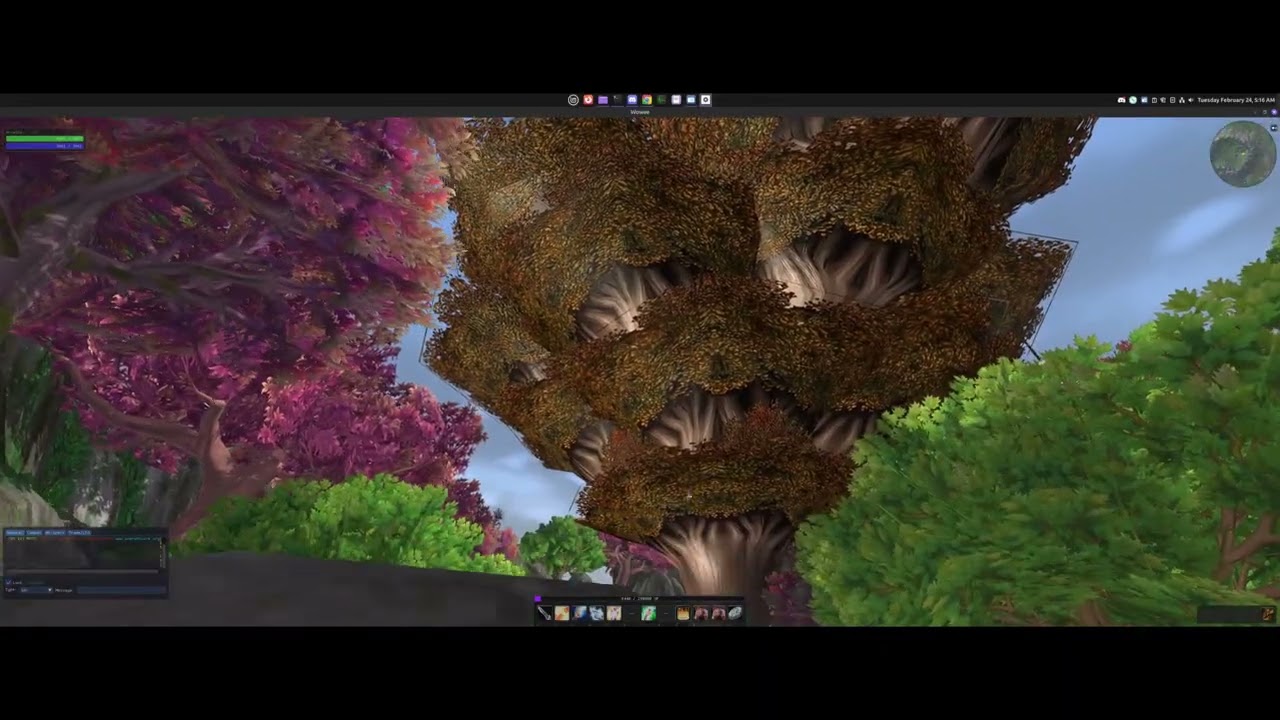
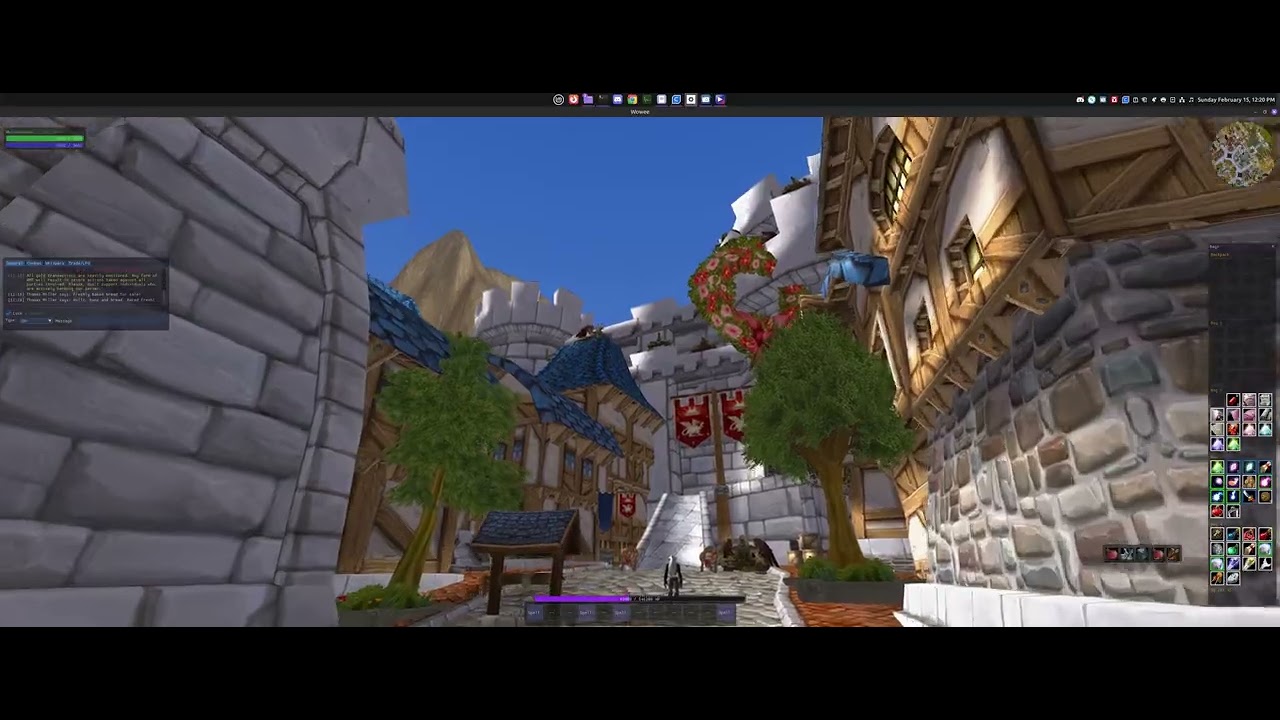
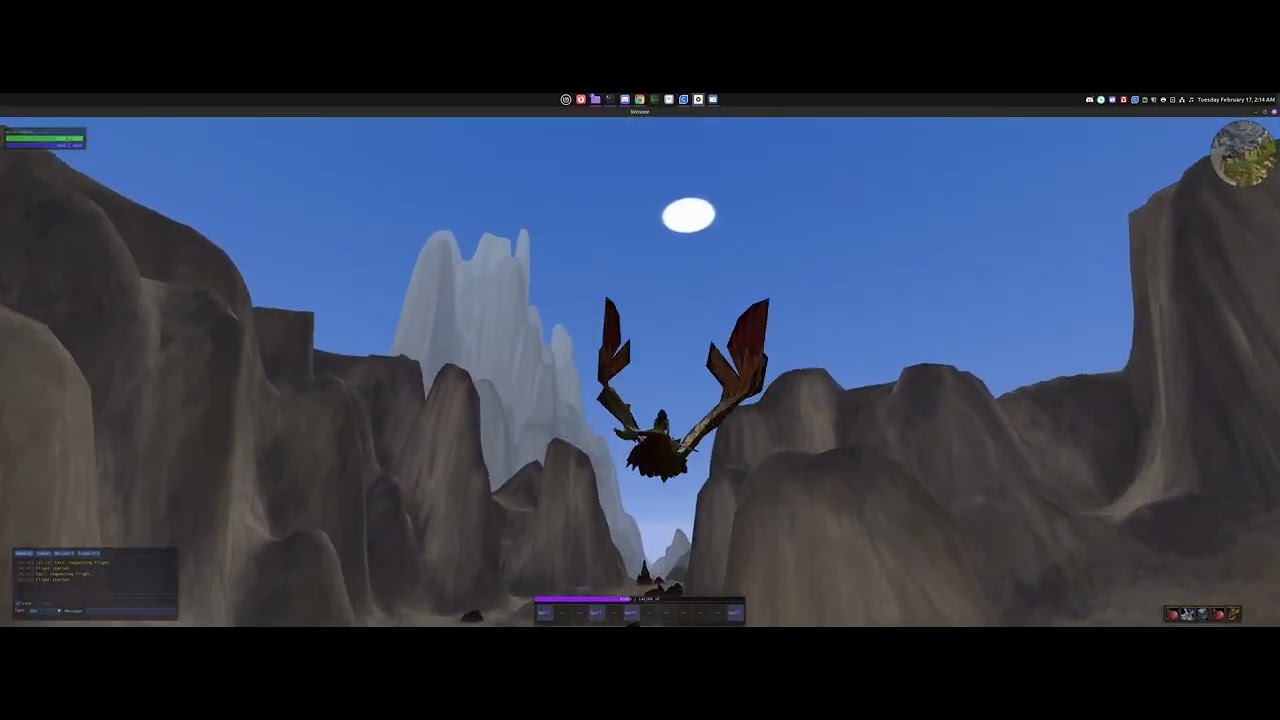
Protocol Compatible with Vanilla (Classic) 1.12 + TBC 2.4.3 + WotLK 3.3.5a.
Legal Disclaimer: This is an educational/research project. It does not include any Blizzard Entertainment assets, data files, or proprietary code. World of Warcraft and all related assets are the property of Blizzard Entertainment, Inc. This project is not affiliated with or endorsed by Blizzard Entertainment. Users are responsible for supplying their own legally obtained game data files and for ensuring compliance with all applicable laws in their jurisdiction.
Status & Direction (2026-03-07)
- Compatibility: Vanilla (Classic) 1.12 + TBC 2.4.3 + WotLK 3.3.5a are all supported via expansion profiles and per-expansion packet parsers (
src/game/packet_parsers_classic.cpp,src/game/packet_parsers_tbc.cpp). All three expansions are roughly on par — no single one is significantly more complete than the others. - Tested against: AzerothCore, TrinityCore, Mangos, and Turtle WoW (1.17).
- Current focus: instance dungeons, visual accuracy (lava/water, shadow mapping, WMO interiors), and multi-expansion coverage.
- Warden: Full module execution via Unicorn Engine CPU emulation. Decrypts (RC4→RSA→zlib), parses and relocates the PE module, executes via x86 emulation with Windows API interception. Module cache at
~/.local/share/wowee/warden_cache/. - CI: GitHub Actions builds for Linux (x86-64, ARM64), Windows (MSYS2), and macOS (ARM64). Security scans via CodeQL, Semgrep, and sanitizers.
Features
Rendering Engine
- Terrain -- Multi-tile streaming with async loading, texture splatting (4 layers), frustum culling, expanded load radius during taxi flights
- Atmosphere -- Procedural clouds (FBM noise), lens flare with chromatic aberration, cloud/fog star occlusion
- Characters -- Skeletal animation with GPU vertex skinning (256 bones), race-aware textures, per-instance NPC hair/skin textures
- Buildings -- WMO renderer with multi-material batches, frustum culling, collision (wall/floor classification, slope sliding), interior glass transparency
- Instances -- WDT parser for WMO-only dungeon maps, area trigger portals with glow/spin effects, seamless zone transitions
- Water & Lava -- Terrain and WMO water with refraction/reflection, magma/slime rendering with multi-octave FBM noise flow, Beer-Lambert absorption, M2 lava waterfalls with UV scroll
- Particles -- M2 particle emitters with WotLK struct parsing, billboarded glow effects, lava steam/splash effects
- Lighting -- Shadow mapping with PCF filtering, per-frame shadow updates, AABB-based culling, interior/exterior light modes, WMO window glass with fresnel reflections
- Performance -- Binary keyframe search for animations, incremental spatial index, static doodad skip, hash-free render/shadow culling
Asset Pipeline
- Extracted loose-file
Data/tree indexed bymanifest.json(fast lookup + caching) - Optional overlay layers for multi-expansion asset deduplication
asset_extract+extract_assets.sh(Linux/macOS) /extract_assets.ps1(Windows) for MPQ extraction (StormLib tooling)- File formats: BLP (DXT1/3/5), ADT, M2, WMO, DBC (Spell/Item/Faction/etc.)
Gameplay Systems
- Authentication -- Full SRP6a implementation with RC4 header encryption
- Character System -- Creation (with nonbinary gender option), selection, 3D preview, stats panel, race/class support
- Movement -- WASD movement, camera orbit, spline path following, transport riding (trams, ships, zeppelins), movement ACK responses
- Combat -- Auto-attack, spell casting with cooldowns, damage calculation, death handling, spirit healer resurrection
- Targeting -- Tab-cycling with hostility filtering, click-to-target, faction-based hostility (using Faction.dbc)
- Inventory -- 23 equipment slots, 16 backpack slots, drag-drop, auto-equip, item tooltips with weapon damage/speed
- Bank -- Full bank support for all expansions, bag slots, drag-drop, right-click deposit (non-equippable items)
- Spells -- Spellbook with specialty, general, profession, mount, and companion tabs; drag-drop to action bar; item use support
- Talents -- Talent tree UI with proper visuals and functionality
- Action Bar -- 12 slots, drag-drop from spellbook/inventory, click-to-cast, keybindings
- Trainers -- Spell trainer UI, buy spells, known/available/unavailable states
- Quests -- Quest markers (! and ?) on NPCs and minimap, quest log, quest details, turn-in flow, quest item progress tracking
- Auction House -- Search with filters, pagination, sell picker with tooltips, bid/buyout
- Mail -- Item attachment support for sending
- Vendors -- Buy, sell, and buyback (most recent sold item), gold tracking, inventory sync
- Loot -- Loot window, gold looting, item pickup, chest/gameobject looting
- Gossip -- NPC interaction, dialogue options
- Chat -- Tabs/channels, emotes, chat bubbles, clickable URLs, clickable item links with tooltips
- Party -- Group invites, party list, out-of-range member health via SMSG_PARTY_MEMBER_STATS
- Pets -- Pet tracking via SMSG_PET_SPELLS, action bar (10 slots with icon/autocast tinting/tooltips), dismiss button
- Map Exploration -- Subzone-level fog-of-war reveal matching retail behavior
- Warden -- Warden anti-cheat module execution via Unicorn Engine x86 emulation (cross-platform, no Wine)
- UI -- Loading screens with progress bar, settings window with graphics quality presets (LOW/MEDIUM/HIGH/ULTRA), shadow distance slider, minimap with zoom/rotation/square mode, top-right minimap mute speaker, separate bag windows with compact-empty mode (aggregate view)
Graphics & Performance
Quality Presets
WoWee includes four built-in graphics quality presets to help you quickly balance visual quality and performance:
| Preset | Shadows | MSAA | Normal Mapping | Clutter Density |
|---|---|---|---|---|
| LOW | Off | Off | Disabled | 25% |
| MEDIUM | 200m distance | 2x | Basic | 60% |
| HIGH | 350m distance | 4x | Full (0.8x) | 100% |
| ULTRA | 500m distance | 8x | Enhanced (1.2x) | 150% |
Press Escape to open Video Settings and select a preset, or adjust individual settings for a custom configuration.
Performance Tips
- Start with LOW or MEDIUM if you experience frame drops
- Shadows and MSAA have the largest impact on performance
- Reduce shadow distance if shadows cause issues
- Disable water refraction if you encounter GPU errors (requires FSR to be active)
- Use FSR2 (built-in upscaling) for better frame rates on modern GPUs
Building
Prerequisites
# Ubuntu/Debian
sudo apt install libsdl2-dev libglm-dev libssl-dev \
                 libvulkan-dev vulkan-tools glslc \
                 libavformat-dev libavcodec-dev libswscale-dev libavutil-dev \
                 zlib1g-dev cmake build-essential libx11-dev \
                 libunicorn-dev \          # optional: Warden module execution
                 libstorm-dev              # optional: asset_extract tool

# Fedora
sudo dnf install SDL2-devel glm-devel openssl-devel \
                 vulkan-devel vulkan-tools glslc \
                 ffmpeg-devel zlib-devel cmake gcc-c++ libX11-devel \
                 unicorn-devel \           # optional: Warden module execution
                 StormLib-devel            # optional: asset_extract tool

# Arch
sudo pacman -S sdl2 glm openssl \
               vulkan-devel vulkan-tools shaderc \
               ffmpeg zlib cmake base-devel libx11 \
               unicorn                    # optional: Warden module execution
               # StormLib: install from AUR for asset_extract tool

# macOS (Homebrew)
brew install cmake pkg-config sdl2 glew glm openssl@3 zlib ffmpeg \
             vulkan-loader vulkan-headers shaderc \
             unicorn \
             stormlib
# unicorn is optional (Warden module execution)
# stormlib is optional (asset_extract tool)
Container build
You can use podman to build application in separate container.
- Install podman
- Then run
container/build-in-container.sh - Artifacts can be found in
/tmp/wowee.[random value].[commit hash]
Game Data
This project requires WoW client data that you extract from your own legally obtained install.
Wowee loads assets via an extracted loose-file tree indexed by manifest.json (it does not read MPQs at runtime).
For a cross-platform GUI workflow (extraction + texture pack management + active override state), see:
1) Extract MPQs into ./Data/
# Linux / macOS
./extract_assets.sh /path/to/WoW/Data wotlk

# Windows (PowerShell)
.\extract_assets.ps1 "C:\Games\WoW-3.3.5a\Data" wotlk
# Or double-click extract_assets.bat
Data/
  manifest.json
  interface/
  sound/
  world/
  expansions/
Notes:
StormLibis required to build/run the extractor (asset_extract), but the main client does not require StormLib at runtime.extract_assets.sh/extract_assets.ps1supportclassic,tbc,wotlktargets.
2) Point wowee at the extracted data
By default, wowee looks for ./Data/. You can override with:
export WOW_DATA_PATH=/path/to/extracted/Data
Compile & Run
git clone --recurse-submodules https://github.com/Kelsidavis/WoWee.git
cd WoWee

mkdir build && cd build
cmake ..
make -j$(nproc)

./bin/wowee
AMD FSR2 SDK (External)
- Build scripts (
build.sh,rebuild.sh,build.ps1,rebuild.ps1) auto-fetch the AMD SDK to:extern/FidelityFX-FSR2
- Source URL:
https://github.com/GPUOpen-Effects/FidelityFX-FSR2.git
- Ref:
master(depth-1 clone)
- The renderer enables the AMD backend only when both are present:
extern/FidelityFX-FSR2/src/ffx-fsr2-api/ffx_fsr2.hextern/FidelityFX-FSR2/src/ffx-fsr2-api/vk/shaders/ffx_fsr2_accumulate_pass_permutations.h
- If the SDK checkout is missing generated Vulkan permutation headers, CMake auto-bootstraps them from
third_party/fsr2_vk_permutations. - If SDK files are missing entirely, CMake falls back to the internal non-AMD FSR2 path automatically.
FidelityFX SDK (Framegen Extern)
- Build scripts and CI also fetch:
extern/FidelityFX-SDK
- Source URL:
https://github.com/Kelsidavis/FidelityFX-SDK.git
- Ref:
main(depth-1 clone)- Override with env vars:
WOWEE_FFX_SDK_REPO=https://github.com/<you>/FidelityFX-SDK.gitWOWEE_FFX_SDK_REF=<branch-or-tag>
- This ref includes Vulkan framegen building blocks (
frameinterpolation+opticalflow) and Vulkan shader manifests:sdk/src/backends/vk/CMakeShadersFrameinterpolation.txtsdk/src/backends/vk/CMakeShadersOpticalflow.txt
- CMake option:
WOWEE_ENABLE_AMD_FSR3_FRAMEGEN=ONenables a compile-probe target (wowee_fsr3_framegen_amd_vk_probe) that validates SDK FI/OF/FSR3/Vulkan interface headers at build time.
- Runtime toggle:
- In settings,
AMD FSR3 Frame Generation (Experimental)persists to config. - Runtime library loader is Path A only (official AMD runtime).
- Auto-probe checks common names (for example
amd_fidelityfx_vk/ffx_fsr3_vk) in loader paths. - Override runtime path with:
WOWEE_FFX_SDK_RUNTIME_LIB=/absolute/path/to/<amd-runtime-library>
- If runtime is missing, FG is cleanly unavailable (Path C).
- In settings,
Current FSR Defaults
- Upscaling quality default:
Native (100%) - UI quality order:
Native (100%),Ultra Quality (77%),Quality (67%),Balanced (59%) - Default
FSR Sharpness:1.6 - Default FSR2
Jitter Sign:0.38 Performance (50%)preset is intentionally removed.
Controls
Camera & Movement
| Key | Action |
|---|---|
| WASD | Move camera / character |
| Mouse | Look around / orbit camera |
| Shift | Move faster |
| Mouse Left Click | Target entity / interact |
| Tab | Cycle targets |
UI & Windows
| Key | Action |
|---|---|
| B | Toggle bags |
| C | Toggle character |
| P | Toggle spellbook |
| N | Toggle talents |
| L | Toggle quest log |
| M | Toggle world map |
| O | Toggle guild roster |
| Enter | Open chat |
| / | Open chat with slash |
| Escape | Close windows / deselect |
Action Bar
| Key | Action |
|---|---|
| 1-9, 0, -, = | Use action bar slots 1-12 |
| Drag & Drop | Spells from spellbook, items from inventory |
| Click | Cast spell / use item |
Debug & Development
| Key | Action |
|---|---|
| F1 | Performance HUD |
| F4 | Toggle shadows |
Documentation
Getting Started
- Project Status -- Current code state, limitations, and near-term direction
- Quick Start -- Installation and first steps
- Build Instructions -- Detailed dependency, build, and run guide
- Asset Pipeline GUI -- Python GUI for extraction, pack installs, ordering, and override rebuilds
Technical Documentation
- Architecture -- System design and module overview
- Authentication -- SRP6 auth protocol details
- Server Setup -- Local server configuration
- Sky System -- Celestial bodies, Azeroth astronomy, and WoW-accurate sky rendering
- SRP Implementation -- Cryptographic details
- Packet Framing -- Network protocol framing
- Realm List -- Realm selection system
- Warden Quick Reference -- Warden module execution overview and testing
- Warden Implementation -- Technical details of the implementation
CI / CD
- GitHub Actions builds on every push: Linux (x86-64, ARM64), Windows (x86-64, ARM64 via MSYS2), macOS (ARM64)
- All build jobs are AMD-FSR2-only (
WOWEE_ENABLE_AMD_FSR2=ON) and explicitly buildwowee_fsr2_amd_vk - Each job clones AMD's FSR2 SDK and FidelityFX-SDK (
Kelsidavis/FidelityFX-SDK,mainby default) - Linux CI validates FidelityFX-SDK Kits framegen headers
- FSR3 Path A runtime build auto-bootstraps missing VK permutation headers via
tools/generate_ffx_sdk_vk_permutations.sh - CI builds
wowee_fsr3_framegen_amd_vk_probewhen that target is generated for the detected SDK layout - If FSR2 generated Vulkan permutation headers are absent upstream, WoWee bootstraps them from
third_party/fsr2_vk_permutations - Container build via
container/build-in-container.sh(Podman)
Security
- GitHub Actions runs a dedicated security workflow at
.github/workflows/security.yml. - Current checks include:
CodeQLfor C/C++Semgrepstatic analysis- Sanitizer build (
ASan+UBSan)
Technical Details
- Platform: Linux (primary), Windows (MSYS2/MSVC), macOS — C++20, CMake 3.15+
- Dependencies: SDL2, Vulkan, GLM, OpenSSL, ImGui, FFmpeg, Unicorn Engine (StormLib for asset extraction tooling)
- Architecture: Modular design with clear separation (core, rendering, networking, game logic, asset pipeline, UI, audio)
- Networking: Non-blocking TCP, SRP6a authentication, RC4 encryption, WoW 3.3.5a protocol
- Asset Loading: Extracted loose-file tree +
manifest.jsonindexing, async terrain streaming, overlay layers - Sky System: WoW-accurate DBC-driven architecture
- Lore-Accurate Moons: White Lady (30-day cycle) + Blue Child (27-day cycle)
- Deterministic Phases: Computed from server game time when available (fallback: local time/dev cycling)
- Camera-Locked: Sky dome uses rotation-only transform (translation ignored)
- No Latitude Math: Per-zone artistic constants, not Earth-like planetary simulation
- Zone Identity: Different skyboxes per continent (Azeroth, Outland, Northrend)
License
This project's source code is licensed under the MIT License.
This project does not include any Blizzard Entertainment proprietary data, assets, or code. World of Warcraft is (c) 2004-2024 Blizzard Entertainment, Inc. All rights reserved.
References
- WoWDev Wiki -- File format documentation
- TrinityCore -- Server reference
- MaNGOS -- Server reference
- StormLib -- MPQ library
Known Issues
MANY issues this is actively under development